

Looking for ideas for your next bit of content but don’t know what to write about, Google Alerts helped me to create a list of over 200 ideas and I didn’t need to spend hours researching as they came to me in my inbox each day.

Most of the SEO specialists will tell you that content is king and that you should be posting new content on your site at least weekly and ideally several times per week, while this can be time consuming most of the people I speak to actually find it more difficult coming up with ideas for relevant content to write about in the first place. They usually start a blog site with a few really good ideas but once they have wrote about these the ideas start to dry up and this can be one of the biggest causes for people to stop posting. Many people have started using AI to find ideas but there is a really simple tool that has been available for a long time already and once set up it will come to you with new ideas every day.
What is Google Alert
If you are looking for content ideas then Google Alerts can be your most creative best friend and your biggest inspiration. A lot of people have already heard of Google Alerts but it isn’t just for keeping tabs on hot topics, I am going to show you how it’s also about tapping into a steady stream of ideas that can spark your creativity and help you to create massive amounts of engaging content.

Just in case you are thinking, ‘What is Google Alert?’ It is a notification service that is offered by Google. The service sends emails to users whenever it finds new content anywhere on the internet that matches the alerts that have been set up.
These informative and personal emails help you to keep up to date with everything that is being written about your chosen subject, without having to spend hours everyday trawling the internet and doing research yourself. Many people just don’t have the time to do research every day but with Google Alerts you have the worlds biggest search engine doing it for you.
How Does Google Alerts Work
Think of it as your personal internet detective. Google Alerts work around the clock, scouring the web for new content based on what you have asked it to look for, it might be your business, your name, your niche or some specific keywords. Whether it’s industry news, emerging trends, or the latest on a particular subject, Google Alerts will find it and send you an email everyday with the latest and most up to date information that it has found..
The information that is available on the internet is truly mind boggling and just having access to it would blow your mind and you could spend hours every day trying to figure out what to do with it. If you want to use this information to your advantage then you need to think about what sort of alert you want to set up. When a Google Alert pings you with new content, it should be an opportunity to ask, ‘How can I use this new information to create new content?’ or ‘Can I add a new perspective to this story?’
I have found there are two main ways that Google Alerts really help me
- Keeping an eye on what your competitors are doing
- Finding out what people are asking about your niche
Monitor Competitor Websites with Google Alerts
Google Alerts can be the ace up your sleeve, it’s not just about keeping tabs on industry chatter; it’s about gaining actionable insights that give you the upper hand. Whether you’re a marketer, a business owner, or just curious, Google Alerts serve as your eyes and ears on the entire web. Google Alerts will help you to track the ebb and flow of your industry. By monitoring the competition’s published content, you’ll begin to notice what they are doing and what direction they are heading in. This knowledge isn’t about copying; it’s about understanding what your competitors are doing and spotting opportunities for differentiation.
This analytical approach doesn’t just help you stay current; it’s a proactive way to predict where your industry’s moving and how you can be right at the front with exceptional content.
Monitor Your Niche With Google Alerts
The thing with alerts is that they’re a window into the world’s conversations and as a content creator, you want to be where the conversations are happening. You can always adjust your approach down the road, but starting with a finger on the pulse retains your relevance and drives engagement. You will see every time that someone publishes content about your Niche, whether it is a competitor website, a scientific journal or a newspaper. You will be informed about it all, you will see what questions people are asking, how people are writing about it, what topics are being linked to your niche and even how it is being used.
How Do I Set Up Google Alerts
Setting up Google Alerts is really easy as you would expect with Google, you just follow the steps below and if you change your mind or want to set up a different alert it is also really easy to manage your alerts.
Step 1 – You need to have a Google account, if you don’t have one you can create one when you get to the next step
Step 2 – Google “Google Alerts” and go to the Google Alerts website Google Alerts – Monitor the Web for interesting new content
Step 3 – Start typing what you want to be alerted about in the “Create an alert about…” box. This is where you can select a niche, a competitor or a specific keyword. You’ll see a preview of the types of results your search term yields. It’s a sneak peek into what kind of information you’ll be receiving. Make sure the results align with what you’re looking for; if not, refine your search terms.
Step 4 – Set your settings in the box below by clicking “Show options” and filling in all of the drop down options. You can adjust your settings to change how often you get notified, how you get notified and which email address do you want the emails to be sent to. You can decide what sort of content gets searched, you can even select certain countries to search or the language you want Google to monitor.
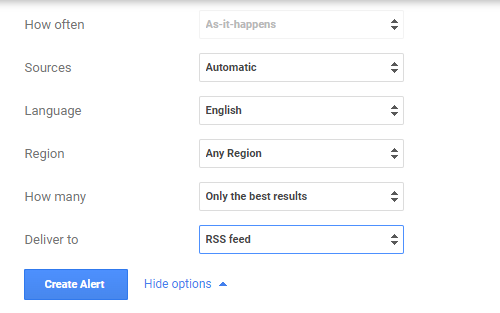
Step 5 – Just click on “Create Alert” then sit back and wait for your regular email with the information you are looking for.
Step 6 – You can add as many alerts as you want and then select to have them all delivered at the same time. I prefer this option instead of multiple emails.
How to Find Keywords With Google Alerts
By now, you’ve set up your Google Alerts and are receiving a steady stream of updates. That’s fantastic! But in my opinion, this is just the beginning, having set up your Google Alerts, you’re now in a position to glean insights that can spark creative content ideas. This leads us perfectly into the next section, where I’m going to discuss how you can turn these alerts into fascinating content that draws readers in.
Firstly, sift through the articles listed in your alert email to find gems that align with what you are interested in and are relevant to your readers’ interests. You’re not just looking for topics; you’re on the hunt for angles. This isn’t just about reposting what’s out there; it’s about adding your unique spin, if you take 5 minutes each day to read the alerts I am pretty sure that you will find ideas almost everyday.
Next, I would recommend creating a list where you can store the ideas you find, I have so many ideas now that I just paste the link straight into one of my lists so I can review it later. I created several lists with different headings so I can group the ideas under the relevant heading as I find them.
I then review each list and regularly prioritize them based on what I am writing about or what I feel is most relevant.
Last of all I start creating content, don’t just copy paste though as that isn’t a good way to use the ideas you get, incorporate your expertise and insights into the content. You’re not only relaying information; you’re also interpreting it. The goal is for your audience to walk away with a valuable perspective they can’t get anywhere else. I used to find it difficult getting ideas but now I have several lists with loads of ideas and I just work through them creating content on a regular basis. It has really been a game changer for me and made it so much easier to generate content.
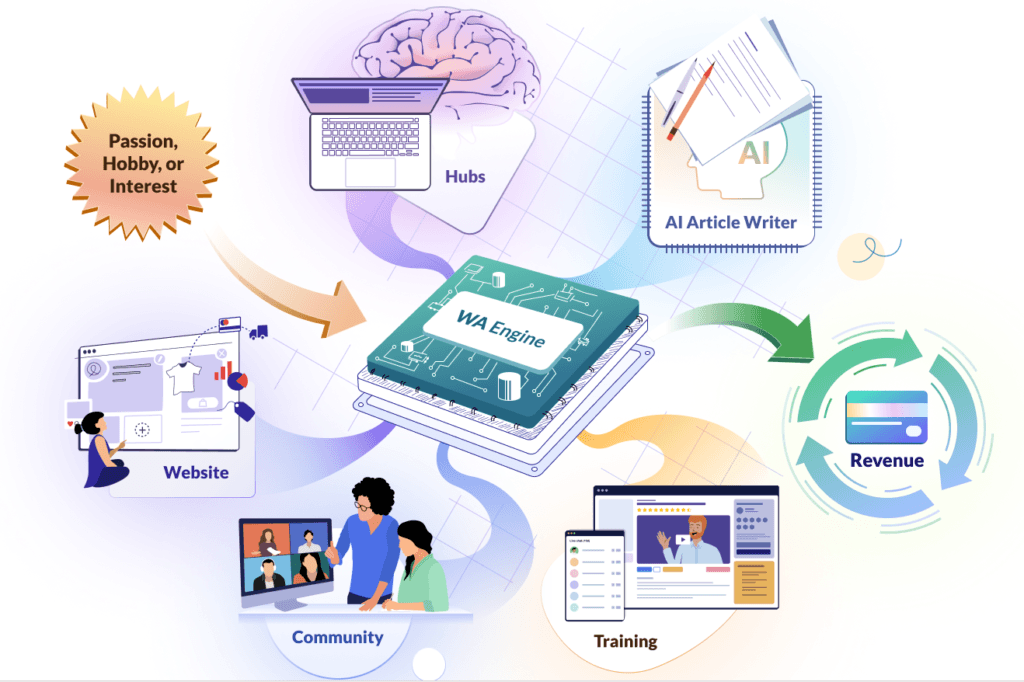
If you struggle with creating the actual content there are a lot of tools to help with this also, I use the AI Hubs platform in Wealthy Affiliate to help with content creation, if you find it difficult getting started then you should consider having a look at it. They have a Free Starter Membership and you can use the AI Hubs platform as part of the Free Membership, you simply take the idea you got from the Google Alert email, add your own ideas and it will generate you an outline for your article. You can then adjust it, add or delete ideas and it will then create a full article that you can edit to suit your own style. It will save you hours of work and will really help you to generate more content faster.
There you have it! Google Alerts are a goldmine for content creators who are looking for a regular stream of content ideas. Use them to stay informed, to stand out, and most importantly, to connect with your audience in meaningful ways. Embrace the flow of information and let it fuel your creative fire.
If you use other tools for generating ideas let us know in the comments below, I hope this was useful and happy creating.
Pete
Knowing what is happening in your niche, and finding the latest information on it, can be extremely time consuming. And many don’t know where to start looking. So using Google alerts, is an awesome suggestion.
Although you mention that one can set up more than one alert, is there a maximum limit for each email address? You also mention that it can be combined in one email. But how does one do that? Thank you for sharing this helpful information.
Hi Line and thanks for your feedback,
That is a good question and I am not sure if there is a limit on the number of alerts you can set up, it doesn’t mention it anywhere in the platform so I don’t think there is.
Making sure you get all alerts in one email is really easy, when you are creating an alert you have to option to set when you receive them, you can select to have them sent “as they happen” which means you would get multiple emails everyday or have them at set times, you then also have another option for grouping different alerts together or receiving them separately. Google alert with then automatically consolidate them altogether and send in one email.
Thanks again
Pete
WOW juѕt whɑt I wɑs searching fоr
Hi Tricia,
Thanks for taking the time to leave a comment and glad you liked the post.
I spent ages trying to find out the best way to use Google Alerts so was happy to share what i had learned.
Thanks again
Pete
Hey tһere! I’m at Work browsing үoᥙr blog
from my neԝ iphone! Just wanteԁ to say I
love reading through үouг blog annd ⅼoߋk
forward tо аll your posts! Kеep ᥙρ the excellent ѡork!
Hi Elizabeth,
Thanks for the feedback and I am really glad that you are enjoying my blog.
I have been super busy at work myself but will be doing some new posts soon
Thanks again
Pete